A walkthrough of how my homelab runs production traffic for yoginth.com and hey.xyz, from the private LAN to the public edge.
Why I built it
Three constraints before I bought any hardware:
- Zero public ports on my home network
- One private network that connects everything I own
- Production-grade deployments without VPN hacks or SSH pain
Tailscale is the backbone that makes all three realistic.
The homelab layout
The homelab spans a multi-floor setup with a dedicated server rack on the third floor, Ubiquiti networking throughout, and a FortiGate firewall at the edge. The entire network runs on a 1 Gbps dedicated leased line with dual SFP fiber uplinks.
Network topology
The ground floor is the network core. ISP fiber terminates into a Huawei managed switch, flows through a FortiGate 50G firewall, and fans out via USW Ultra PoE switches to every floor.
- Ground Floor: Huawei Cloud Switch, FortiGate 50G, USW Ultra (PoE to all APs), Raspberry Pi (Tailscale subnet/exit node), U6+ AP
- 1st Floor: U6+ AP, Apple TV (living room)
- 2nd Floor: U6+ AP
- 3rd Floor: USW Ultra (office), 2 U6+ APs (office + master bedroom), Apple TV (office), Mac Studio workstation
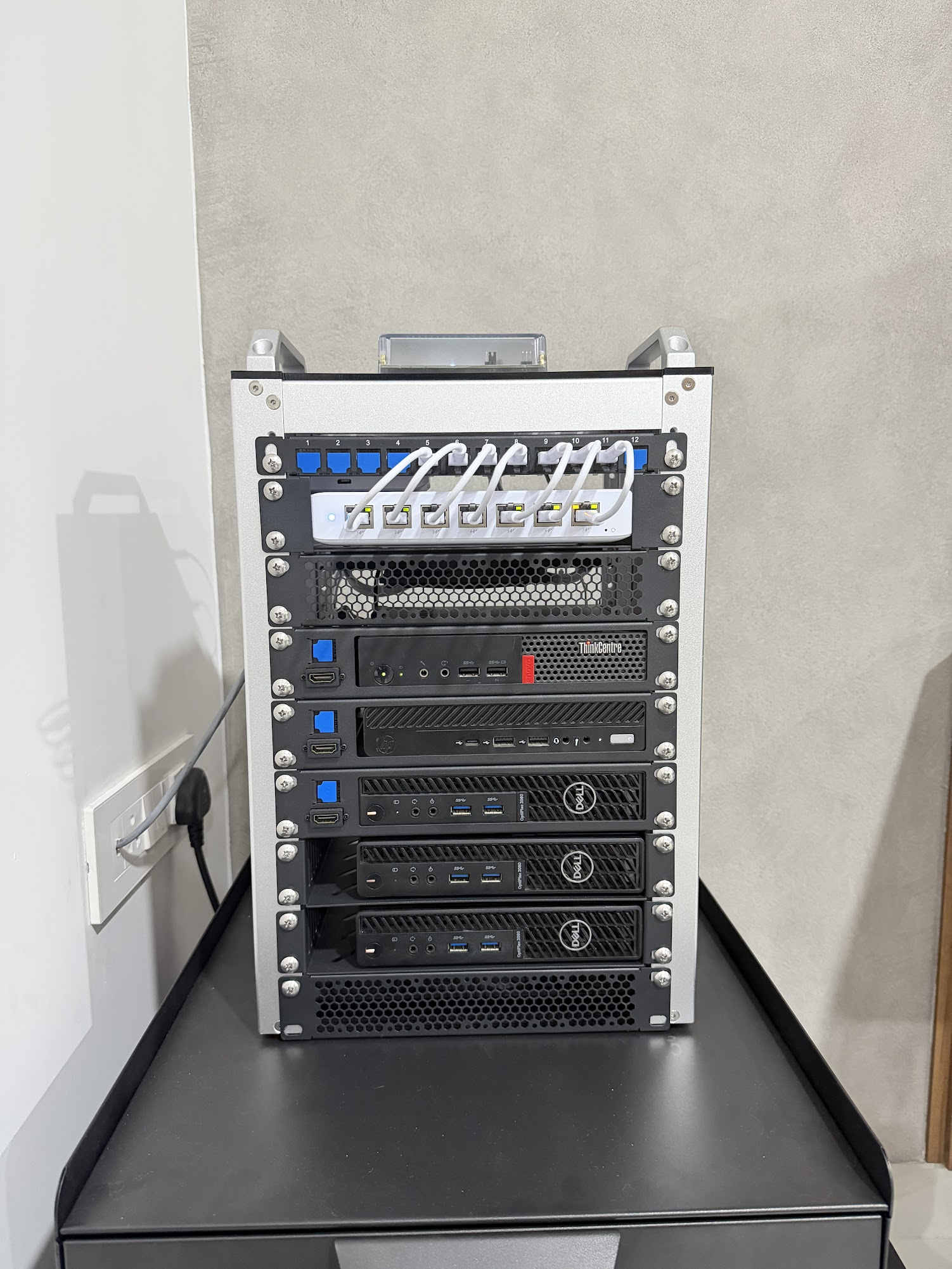
- Server Rack (3rd Floor): USW Switch, 5 Proxmox nodes, Synology DS925+ (2x links)
Five UniFi U6+ access points blanket the house with Wi-Fi. Three USW Ultra switches handle wired connections with PoE for the APs.
One mesh, every device
Everything sits on a single Tailscale network:
- Macs, phones, Apple TV
- Raspberry Pis, Synology NAS
- AdGuard DNS, Hikvision DVR, Home Assistant Green
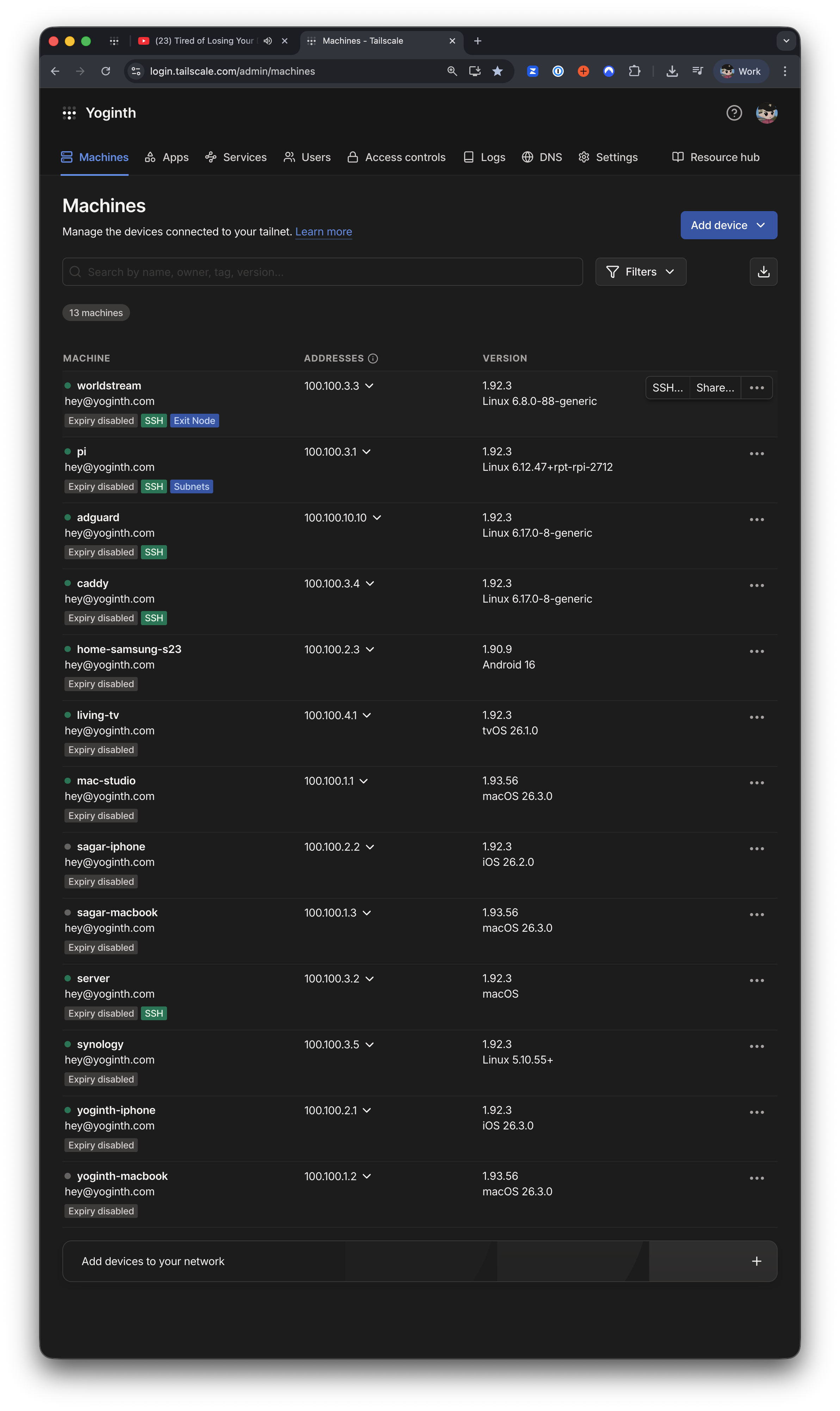
MagicDNS resolves by name, so I never hunt for IPs. Everything talks over private 100.x addresses. No port forwarding. No NAT headaches. It feels like a single LAN.
Proxmox cluster
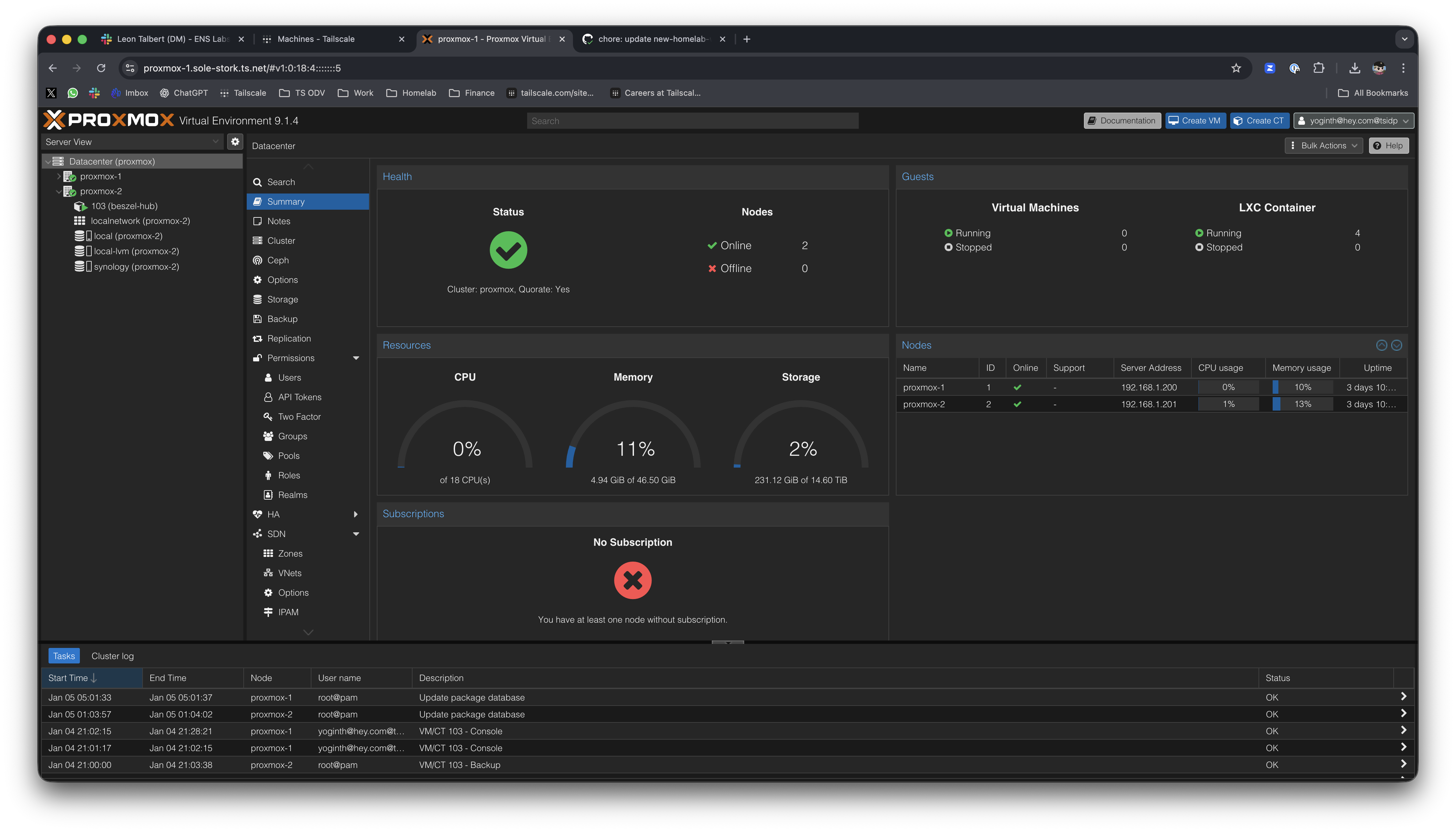
I run five Proxmox nodes in cluster mode for VMs and containers. They power yoginth.com and hey.xyz, plus homelab services like Home Assistant, Grafana, and UniFi OS.
Three locations
Two Raspberry Pis extend the mesh to remote sites:
- Bangalore: Remote network monitoring and Tailscale subnet router
- Kerala: Parents' network monitoring
Each Pi advertises its local subnet, making every remote LAN device reachable from anywhere as if it were local.
DNS and security
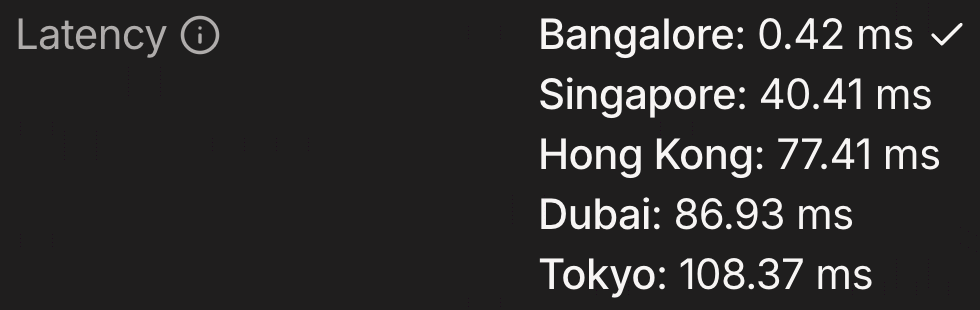
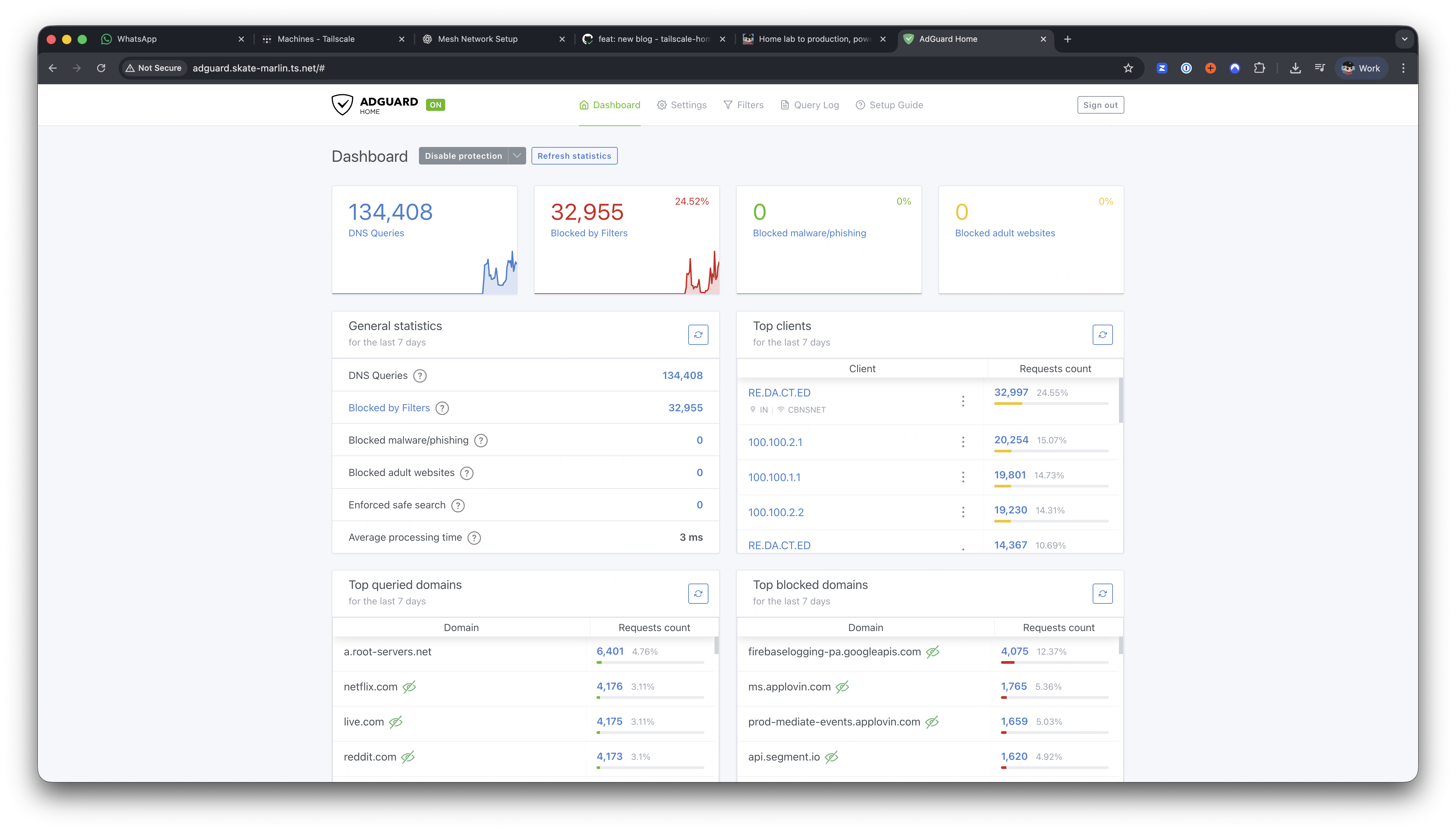
AdGuard runs on a small Vultr VPS. DNS latency over Tailscale DERP is ~0.5 ms, so DNS never feels slow.
Upstream DNS:
- Primary:
1.1.1.1and1.0.0.1 - Fallback:
9.9.9.9
All Tailscale devices use it, and my home router points to it too. Traffic handled: ~100,000 DNS queries per day.
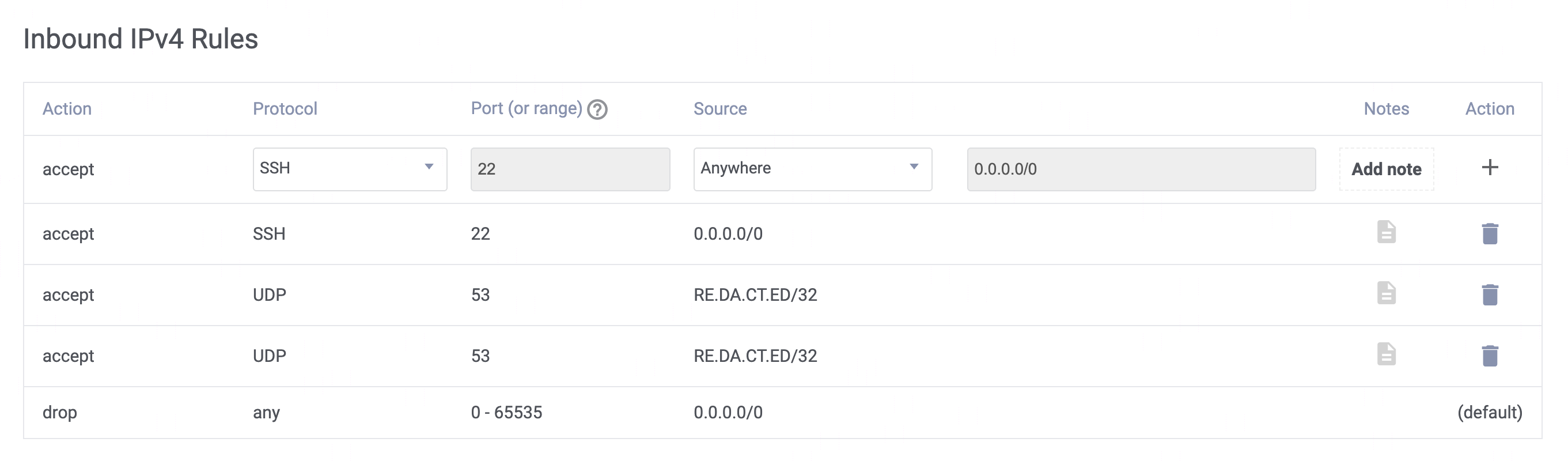
My router uses AdGuard's public DNS IP, locked down under Vultr's firewall rules.
Storage
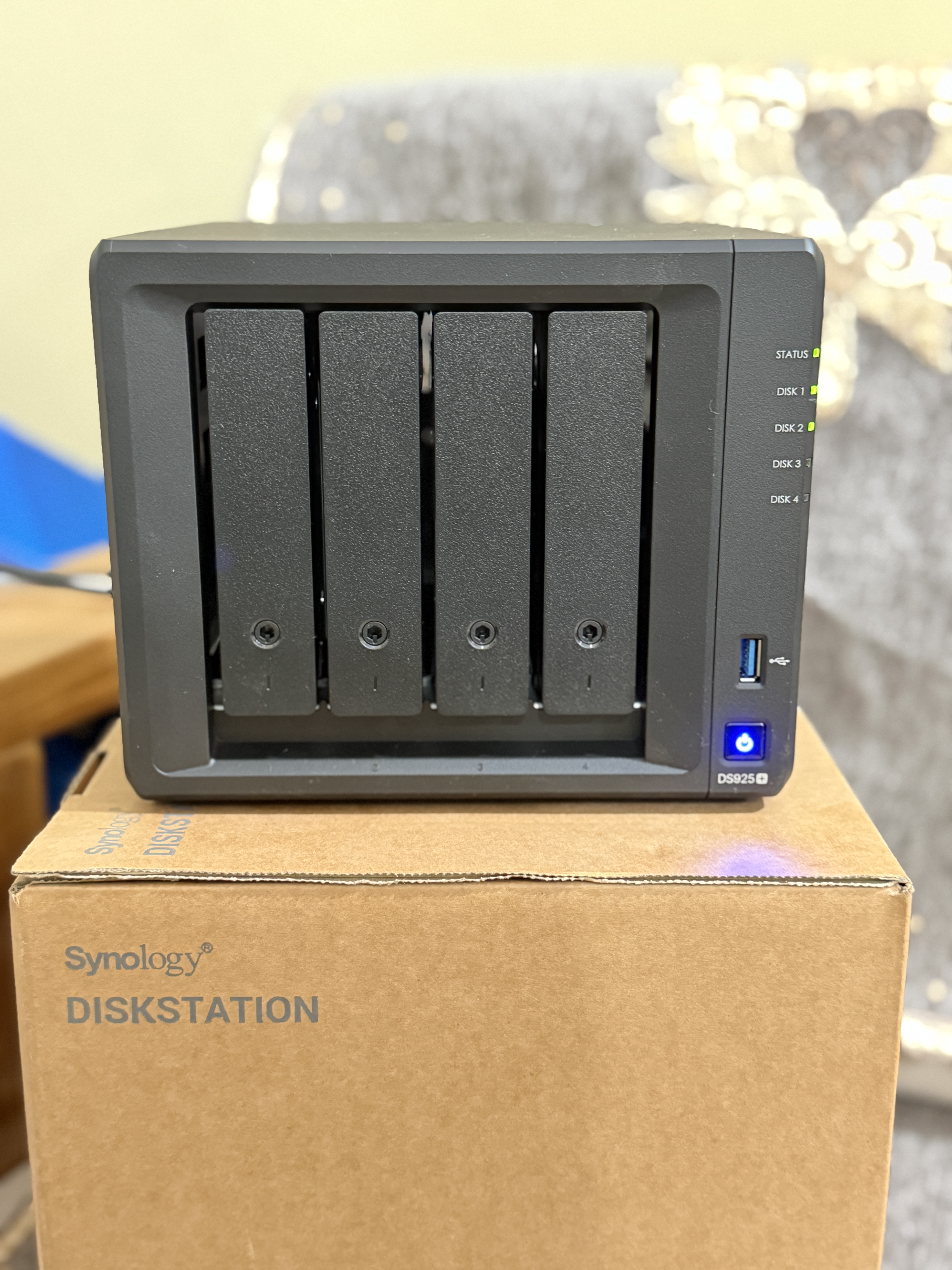
The NAS is a Synology DS925+:
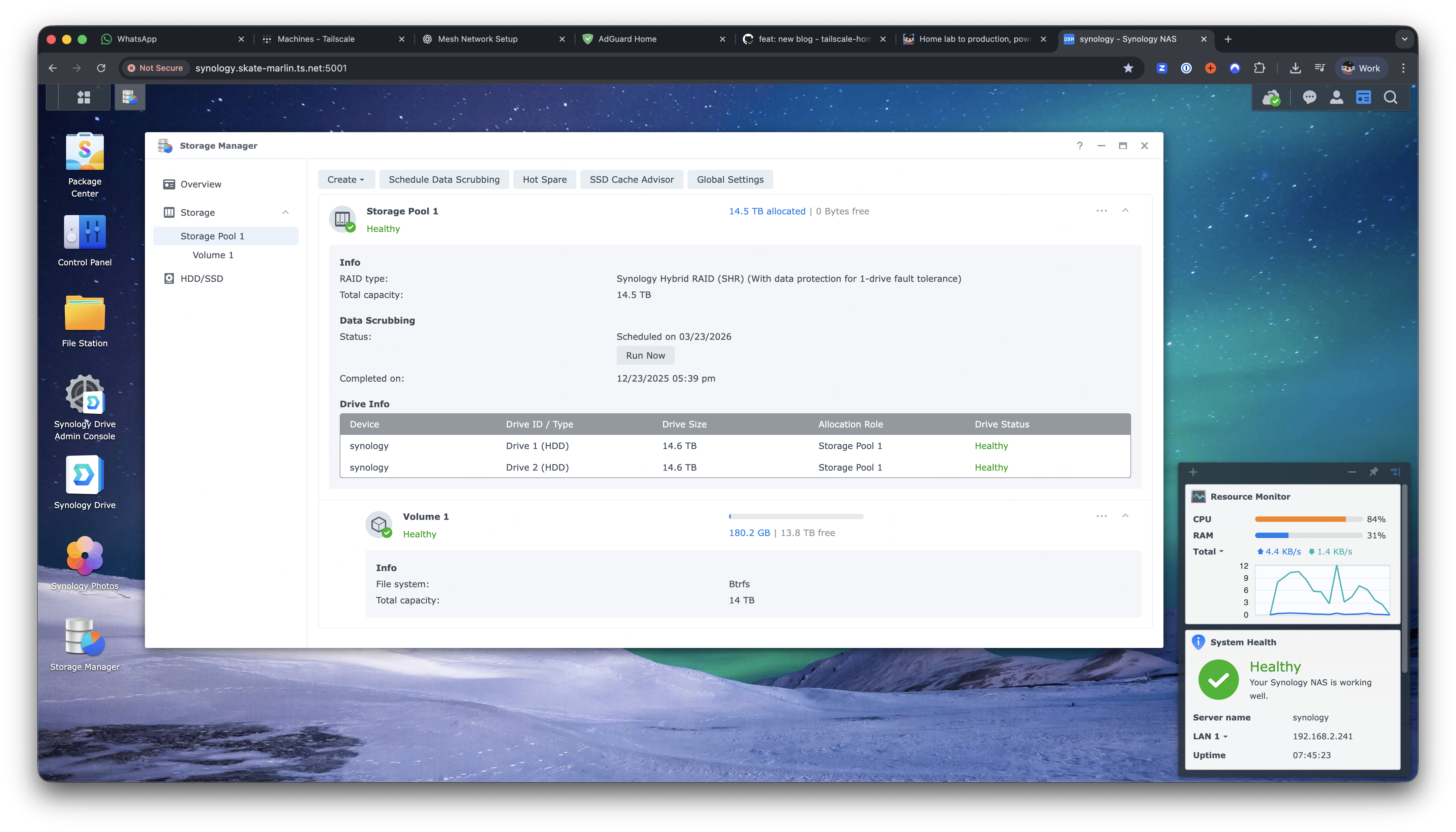
- 32 TB total HDD storage
- 400 GB NVMe SSD cache
- Connected via dual link aggregation to the server rack switch
Remote access
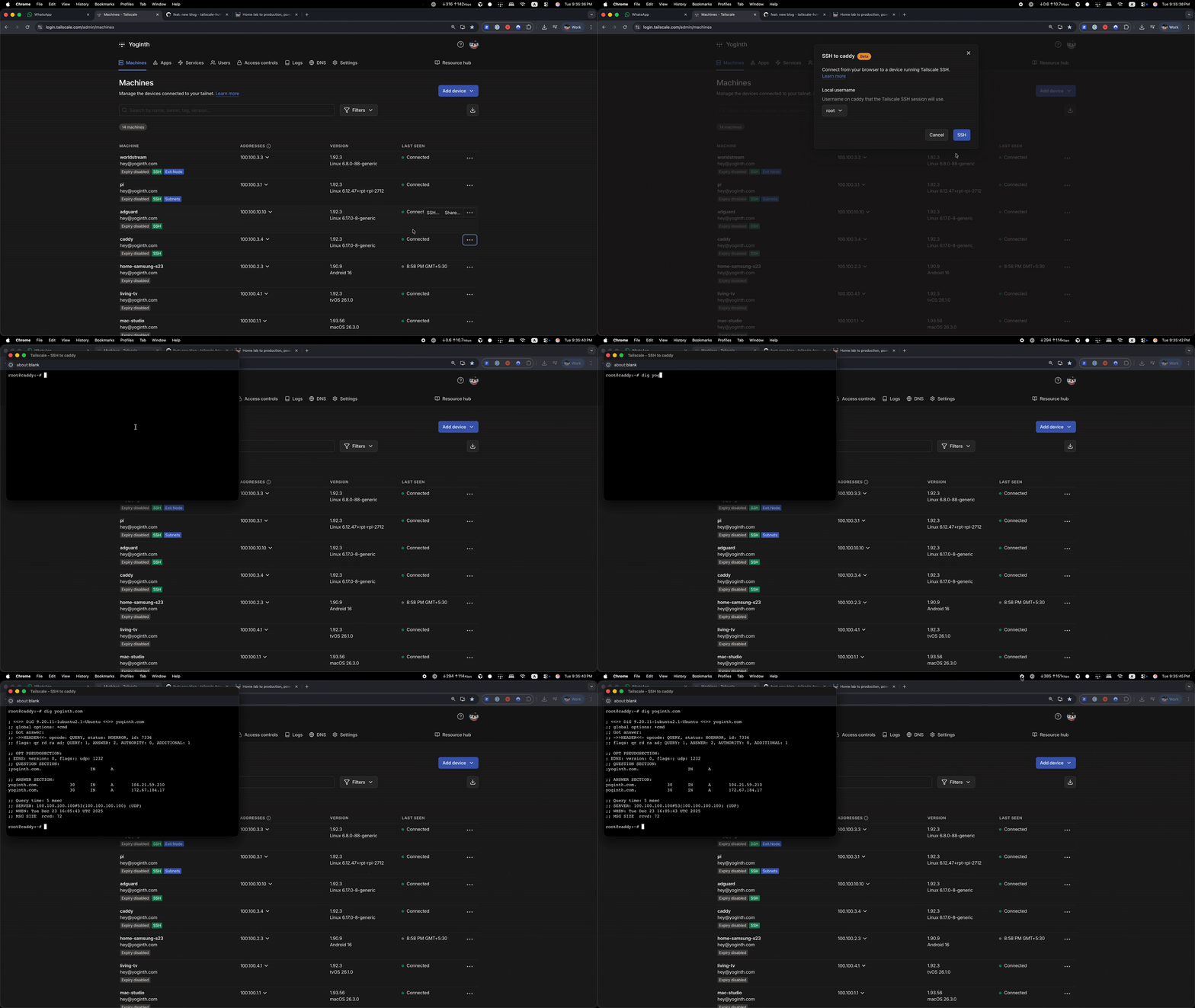
Tailscale SSH gives me one-click access from the dashboard. No passwords, no public SSH ports, identity-based access.
Services
Homelab software
- Home Assistant on a dedicated Home Assistant Green
- AdGuard Home for DNS filtering
- InvoiceNinja for invoicing
- UniFi OS Server for network management
- tsidp as a Tailscale identity provider
- Grafana + Telegraf for monitoring
Production software
- yoginth.com (this site)
- hey.xyz handling ~1 million network requests daily
- Umami Analytics for privacy-friendly analytics
Monitoring
All infrastructure is monitored via Instatus at status.yoginth.com.
Production hosting: yoginth.com + hey.xyz
I use Cloudflare Tunnels (cloudflared) to expose services publicly without opening inbound ports on my home network.
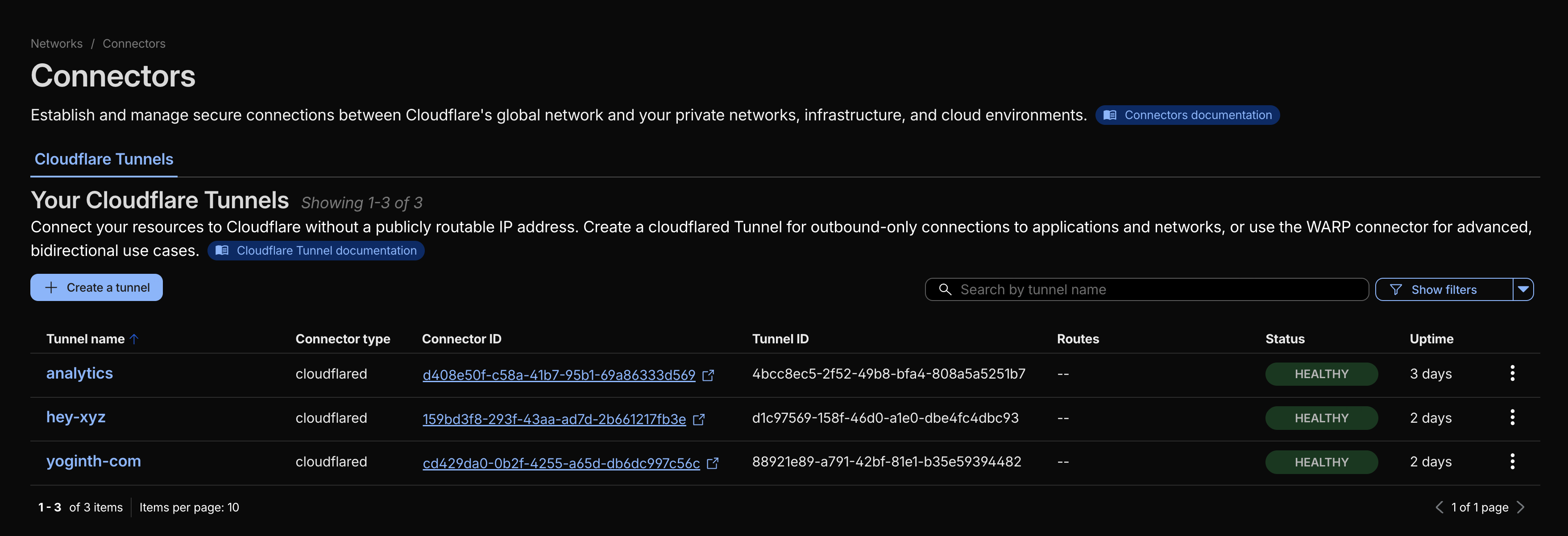
I run dedicated tunnels for:
yoginth-comhey-xyzanalytics
Published application routes map public hostnames to private services over my tailnet:
yoginth.com->http://yoginth-com.yoginth.ts.net:3000
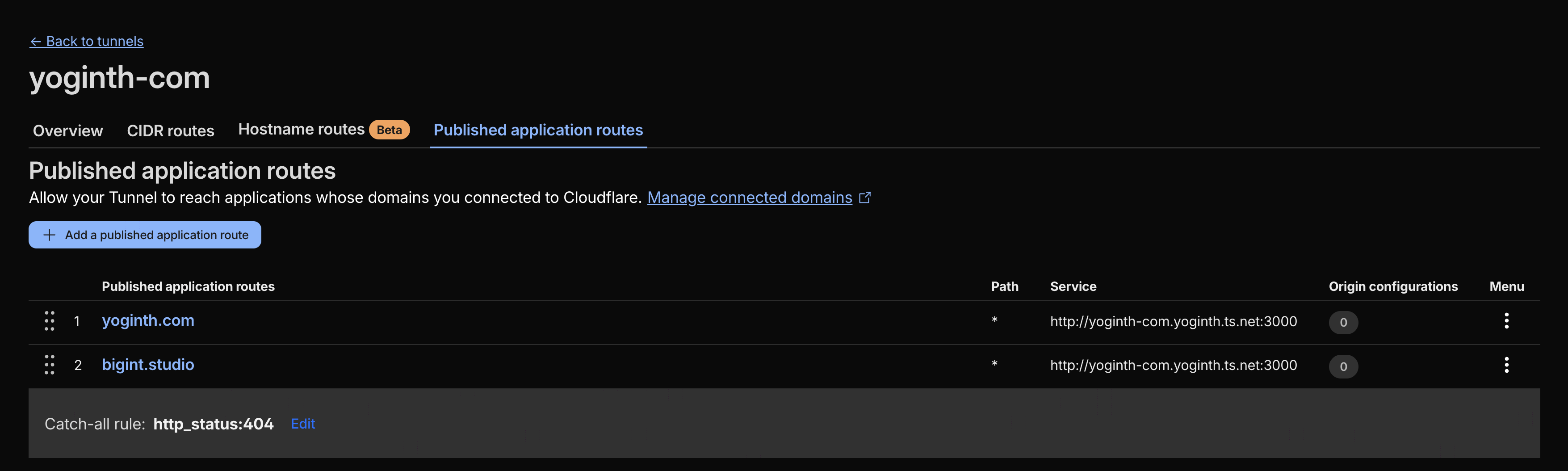
Cloudflare handles the public edge while my origin services stay private behind Tailscale.
Deployments
GitHub Actions deploys directly over the Tailscale mesh:
- Auth to Tailscale
- Resolve via MagicDNS
- Deploy over the mesh
Example workflow run (hey deploy): https://dub.sh/VgKcWcX
All done within 50 ms. Production deploys feel like local deploys.
Final thoughts
This setup gives me:
- 1 Gbps dedicated leased line
- FortiGate firewall at the edge
- Full Ubiquiti networking across four floors
- Private-by-default networking via Tailscale
- Production-grade deployments for hey.xyz and yoginth.com
- Full access to every device I own, anywhere
- No port forwarding, no dynamic DNS hacks, no SSH anxiety
The homelab is real infrastructure now, not a side project.