# Ship Features Fast with Feature Flags
> A practical playbook for shipping behind flags: staff ship, beta cohorts, kill switches, then GA.
- Published: 2021-03-17
- Updated: 2026-09-10
- Source: https://yoginth.com/blog/feature-flags
Hey folks - I'm the creator of [Taskord](https://taskord.com/) and I often deploy more than 100 times a day. The only way that's safe is with disciplined feature flagging.
This is a short, practical playbook: how to plan, develop behind a flag, test in prod with staff, gradually roll out, observe errors and metrics, then graduate to GA and remove the flag.
## TL;DR
- Ship behind flags by default; keep new code dark until ready.
- Rollout path: dev → staff → beta/cohorts → 100% → remove flag.
- Add a fast kill switch and alerting on key metrics/errors.
- Prefer server‑controlled flags (remote config), not build‑time envs.
- Clean up flags promptly to avoid dead code and confusion.
## Planning
Suppose we're building a new Explore page at `/explore`. Start with the smallest viable plan:
- Define the UI and acceptance criteria.
- Check component availability and API gaps.
- Note data migrations and rollout constraints.
- Identify blockers and a rollback plan.
Don't overthink - iterate and refine as you go.
## First Pull/Merge Request
Open with the smallest PR: a page that renders “Hello, World!” behind a flag at `/explore`. Get CI signal and unblock parallel work.
Push to GitHub/GitLab and open your first PR.
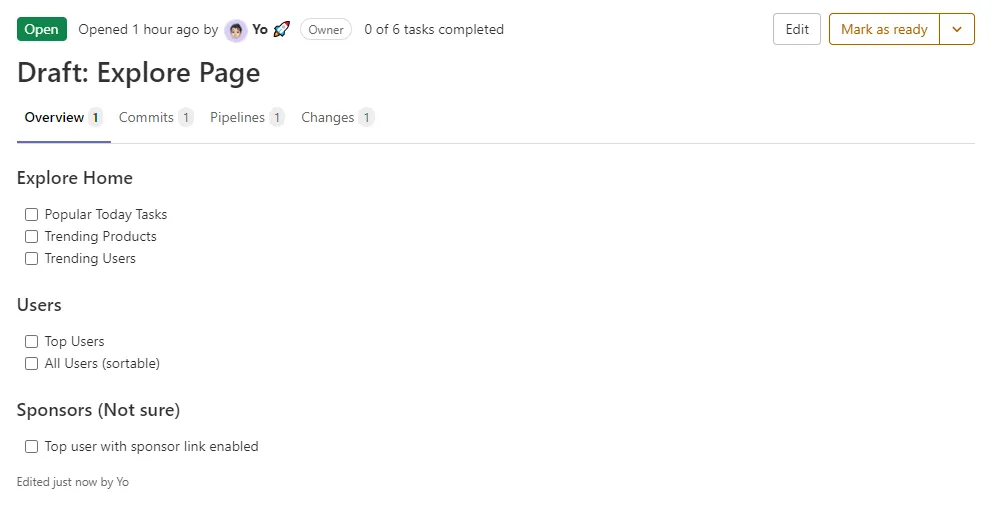
Tip: Even solo, PRs create a review point and CI history.
## Development
Build the feature behind the flag. If backend APIs aren't ready, mock responses and share the contract to keep moving. Clear, early agreements reduce rework.
## Testing
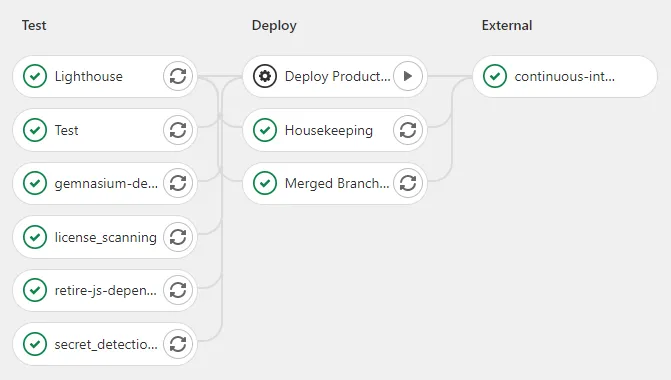
Let CI pass, then merge to `main` and deploy to staging. Use a short checklist (happy paths, feature off/on, permissions, performance) before promoting to production.
## What is a Feature Flag?
Feature flags (toggles) gate behavior at runtime based on rules. They allow progressive delivery, instant rollback, A/B tests, and targeted access without redeploying.
Minimal examples
```typescript
// Client (React)
function ExploreGate({ enabled }: { enabled: boolean }) {
return enabled ? : ;
}
// Server (Node/Hono/Express)
app.get('/explore', (c) => {
const enabled = flags.isEnabled('explore_page', c.var.userId);
if (!enabled) return c.text('Not Found', 404);
return renderExplore(c);
});
```
Flags should be remotely configurable, auditable, and queryable by user/cohort.
## Staff Release
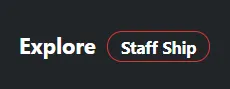
After staging looks good, deploy to production with the flag default OFF. Announce internally, e.g. in Slack:
We've shipped the Explore page to production. Staff can enable it via Staff Ship. Feedback welcome!
This enables safe testing in production without exposing the feature to users.
## What is Staff Ship?
Staff Ship is a flag limited to admins/mods. Often it adds an admin/perf bar above navigation (like GitHub) with quick toggles and links.
On Taskord, admins can toggle Staff Ship using the backtick key or the `pb` shortcut.
**Taskord's admin bar looks like this:**

**GitHub's staff bar (GH Enterprise) looks like this:**

## Beta Release
Once internal testing is solid, roll out gradually. Common strategies:
- Percentage rollout (10% → 25% → 50% → 100%)
- Cohorts (users with a “beta” flag, staff friends, allowlist)
- Geography, platform, account age, or plan‑based rules
Always use stable bucketing so a user stays in the same variant.

## Feedback
Collect feedback quickly (in‑app prompts, a Slack channel, short forms). Triage and iterate before widening exposure.
## Automatic Error Tracking
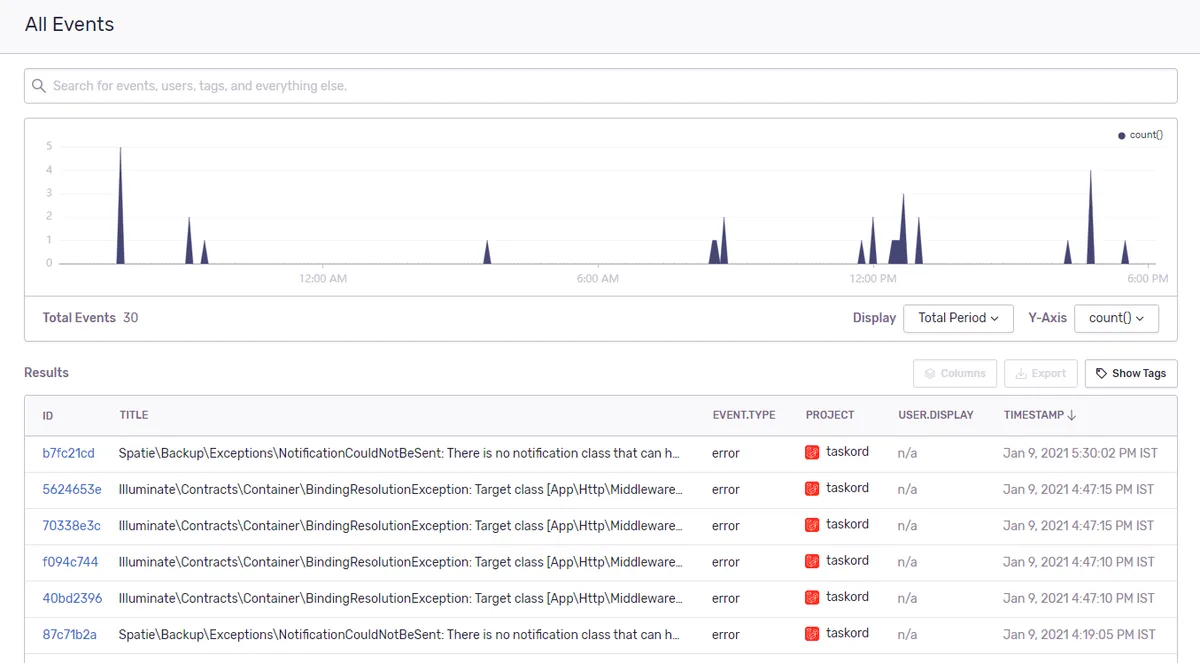
Use tools like [Sentry](https://sentry.io/) for real‑time errors and dashboards for key metrics. Wire alerts to a kill switch so you can disable the flag within seconds.
## General Availability
When confident in stability:
- Flip to 100%, remove the flag and dead code.
- Keep monitoring errors and performance for a few days post‑launch.

## Guardrails & Pitfalls
- Always have a kill switch; practice using it.
- Ship small, reversible PRs; avoid long‑lived branches.
- Don't gate database migrations solely by flags - use phased, backward‑compatible migrations.
- Document flag ownership and an expiry date to ensure cleanup.
## Quick Checklist
- Built behind a remotely controlled flag (default OFF)
- Server‑side gated and client‑side guarded
- Observability added (events, metrics, error tags, alerts)
- Staff test in production complete
- Beta cohort rollout plan with stable bucketing
- Kill switch verified; rollback plan documented
- GA criteria defined; cleanup task created
**Happy Shipping!**